MoonTerminal · Detects and sound ·
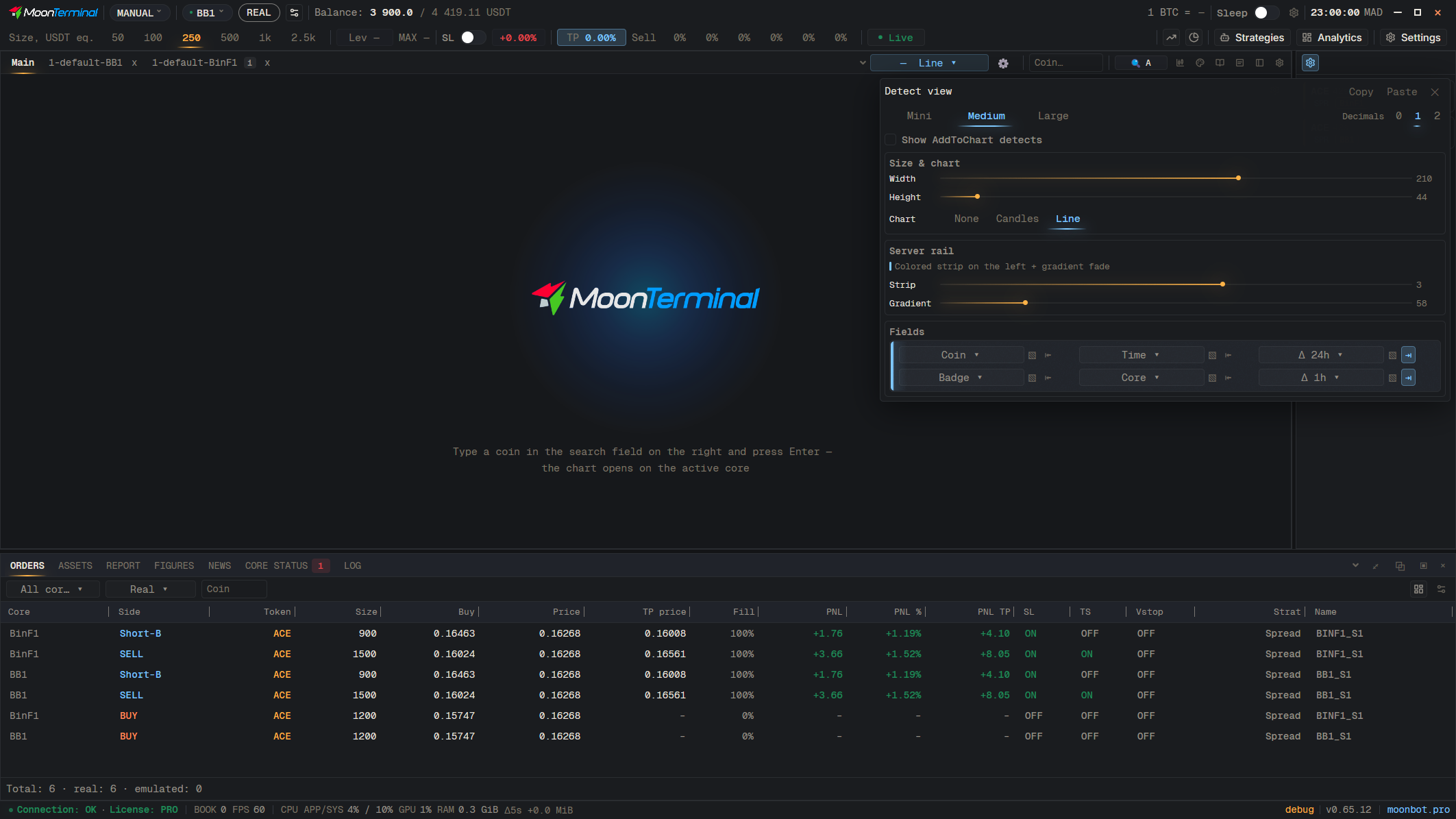
The card has the fields “Δ 24h” and “Δ 1h”, the coin's price change over the day and over the hour, and “v 24h” and “v 1h”, its trading volume over the day and over the hour. Which fields go in which cells is set by “Detect view” (the gear icon at the top left of the detect feed): there you choose the card size (Mini, Medium, Large), the chart (None, Candles, Line), width, height, the core color strip with gradient, and the number of decimals. The setting applies at once and is stored for the core group.
- Detect view — Gear icon at the top left of the detect feed
- Slot field — Choose “Δ 24h”, “Δ 1h”, “v 24h”, “v 1h” or another field