MoonTerminal · Detects and sound ·
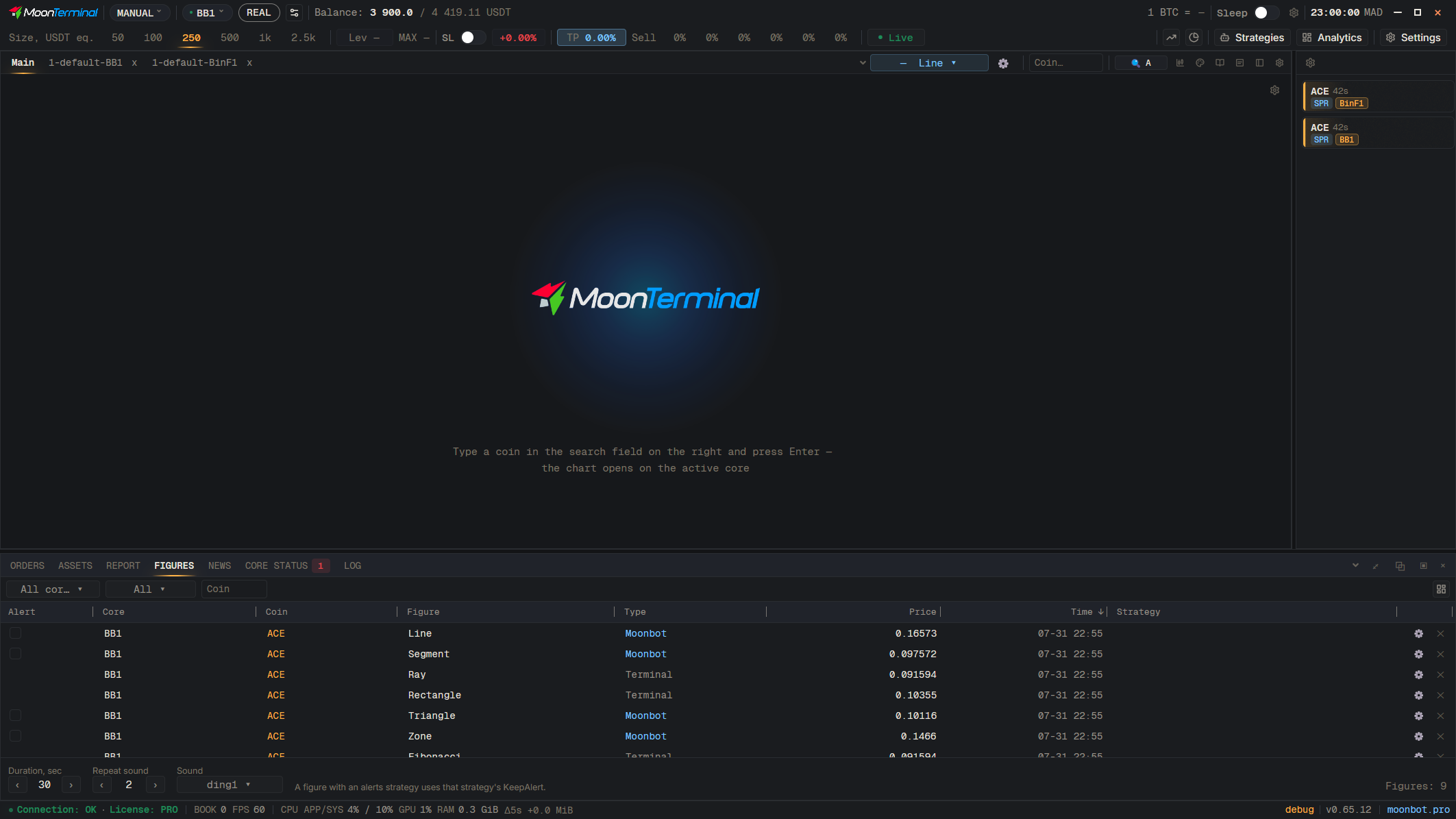
The “Figures” tab of the bottom panel (MANUAL mode) lists all figures. The tick in the “Alert” column turns an alert on, the “Type” column shows “MB” or “Terminal” (alerts are set on figures of type “MB”), and the “Strategy” column attaches an alert strategy. At the bottom: “Sound”, “Repeat sound” (0 — do not play) and “Duration, sec”. Faster, right on the chart: right-click a line and choose “Alert: on”, or select the line and press Ctrl+B (“Alert on figure”).
- Figures — Bottom panel in MANUAL mode
- Sound — Alert sound
- Right-click: Alert: on — Right-click a line on the chart
- Ctrl+B — Selected line: “Alert on figure”