


MoonTerminal
MoonTerminal is a desktop shell for Windows and macOS for controlling Moonbot cores: charts, orders, reports and strategies in one window.
The terminal does not trade by itself: it connects to a Moonbot core with a key. The source code is public on GitHub. It is not affiliated with moonterminal.io or with third-party Telegram trading bots under similar names.
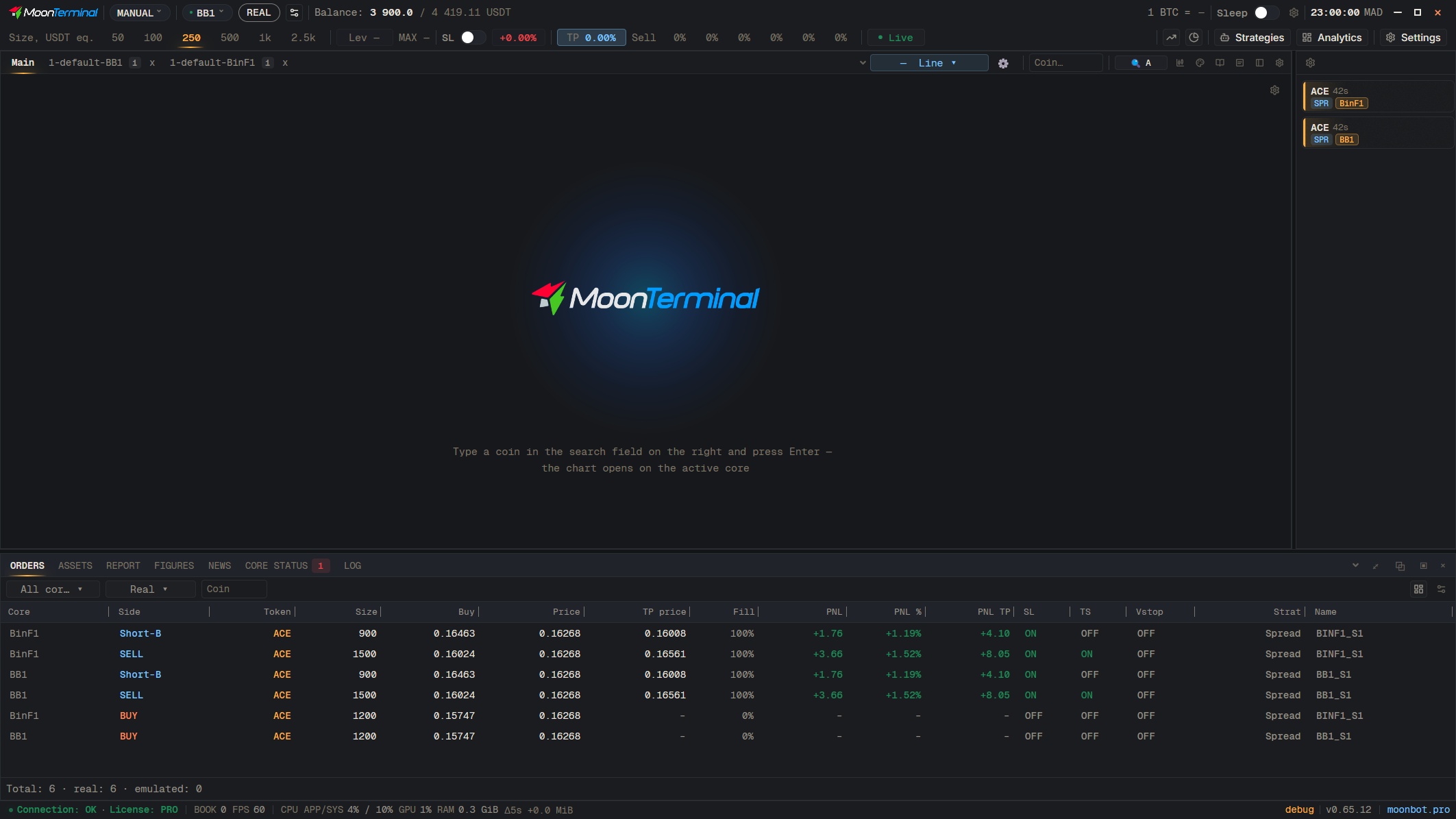
The picture is live: point at a control to see its name, click it to read what it does in the reference.The whole reference
What you can do in it
- Several cores in one window
- Follow charts, the order book, orders and reports of one or more Moonbot cores from one application.
- Charts that keep up
- Candles, order lines, the book and trades stay smooth while you scroll and zoom a live market.
- Orders and strategies
- Place and edit orders on the chart, keep reports and wallets at hand, and manage the strategy tree of your cores.
- A view of the whole market
- A market screener, a profit monitor and analytics of your trades by period, core and strategy.
- Windows the way you work
- Chart tabs and panels tear off into windows of their own, and the layout survives a restart.
- Seven languages
- English, Russian, Spanish, Ukrainian, Turkish, Portuguese and Vietnamese, switched on the fly.
What you need
- A running Moonbot core, on your own computer or on a server.
- The key of that core: the terminal takes the address, port and mode from it.
Files
In developmentLatest build: v0.65.13 · 2026-11-08 · All releases on GitHub
WindowsMoonTerminal.exe · 121 MB
The file is not signed, so Windows may warn about an unknown publisher: choose More info, then Run anyway.
SHA-256: 98cf358518849244607e32f4311debac99b1ecfb4346fcd7e4c9c3d8723afd9f
macOSMoonTerminal.dmg · 38 MB
Requires macOS 11 or newer. The build is not notarized, so macOS asks for confirmation on first launch. How to open it
SHA-256: 05b6ddb2b6b91f3a41e4646ae729f6526b59f092cd6517c90b9e1d8f0e7d93ca
- Linux: build from source. Build guide
Under the hood
A native Rust application. Charts draw through DirectX 11 on Windows, Metal on macOS and wgpu on Linux. Market data arrives live over MoonProto, and server keys are kept encrypted through the system’s secure storage.
Trading cryptocurrencies carries a risk of losing funds. MoonTerminal does not provide investment advice.
© Moonbot, 2026Privacy policy