MoonTerminal · Reports and statistics ·
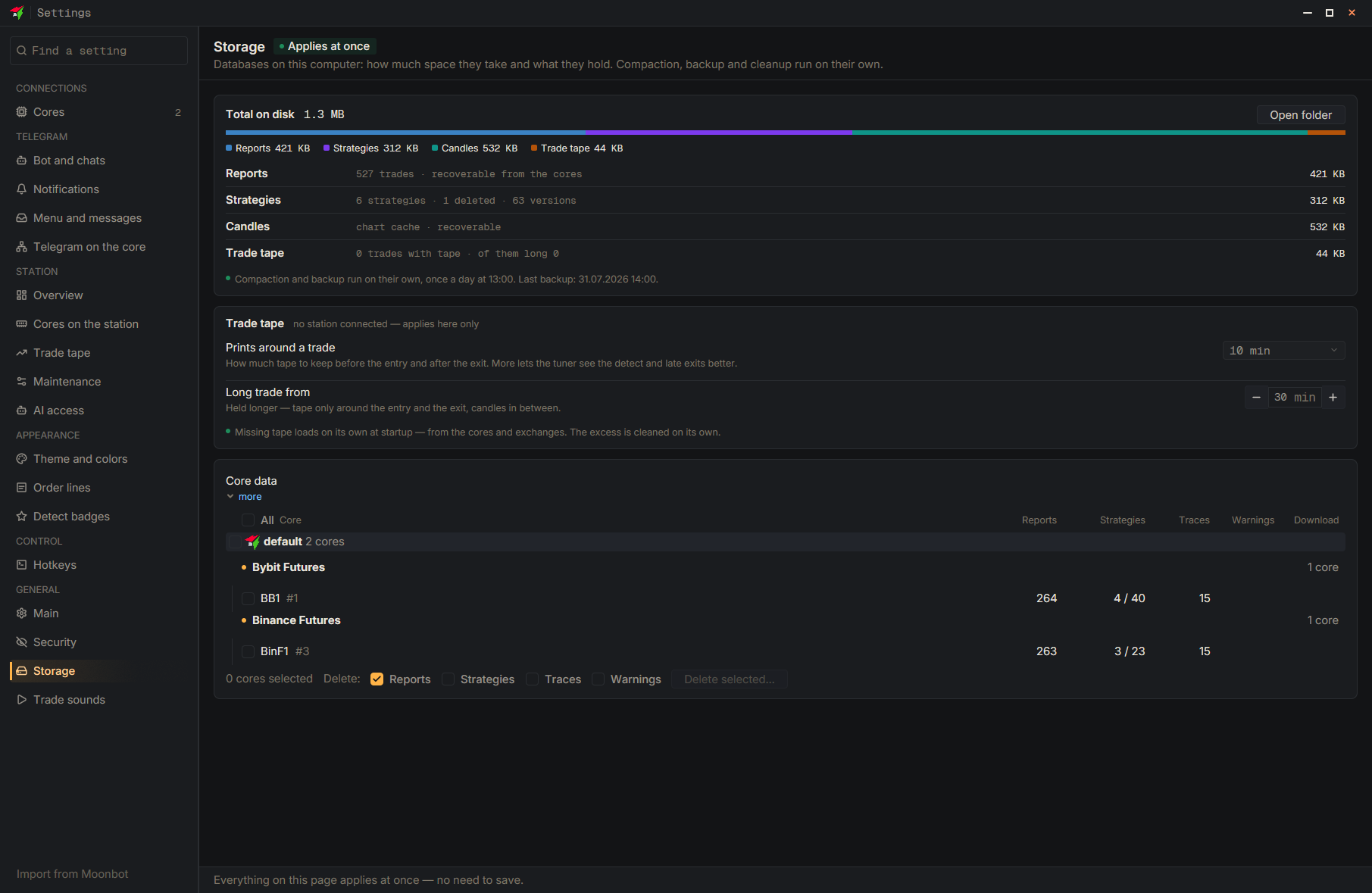
Open “Settings” → “Storage”, in the “Core data” table tick the needed core, leave the tick only on “Reports” and press “Delete selected…”. The reports of the connected core are downloaded again; this is how the gap in history is fixed. Do not tick “Strategies”, “Traces” or “Warnings”: they cannot be restored. While a core is downloading its reports, it cannot be selected; wait until it finishes.
- Settings
- Storage
- Core data — Tick the needed core
- Reports — Do not tick the other kinds of data
- Delete selected…
- Delete — Confirmation