MoonTerminal · Orders and trading ·
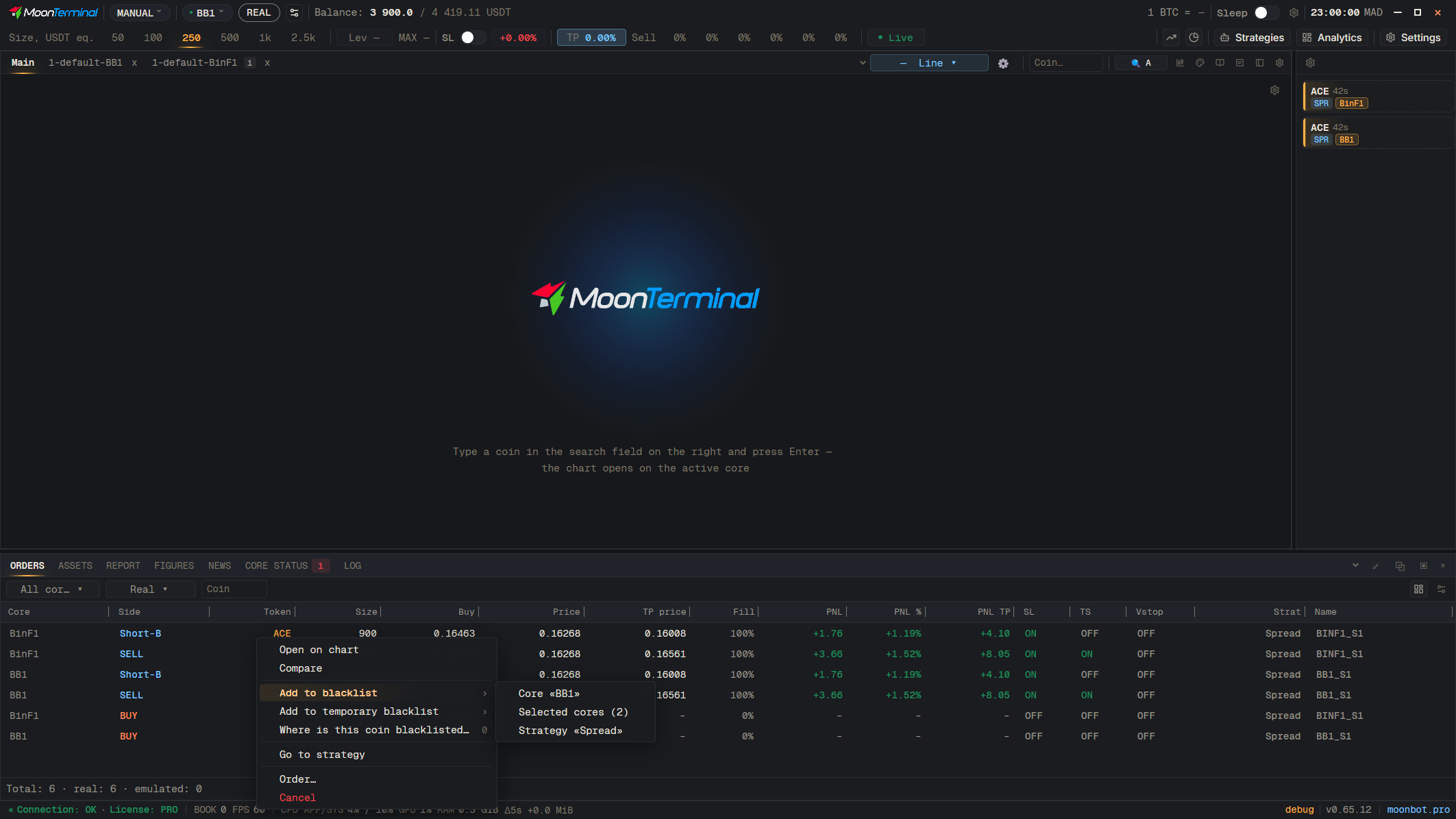
Right-click the coin: in the “Orders” table, in “Assets”, in “Report”, or on the order line on the chart. In the menu choose “Blacklist” and the list you need: “Core “…””, “Selected cores” or “Strategy “…””. Choosing the same item again removes the coin from the list. Where the coin is already listed, the item “Where is this coin blacklisted…” shows it.
- Right-click: Coin ticker — Right-click the coin in the row
- Add to blacklist — Open the submenu
- Core «…» — Either “Selected cores” or “Strategy “…””