MoonTerminal · Analytics and tuner ·
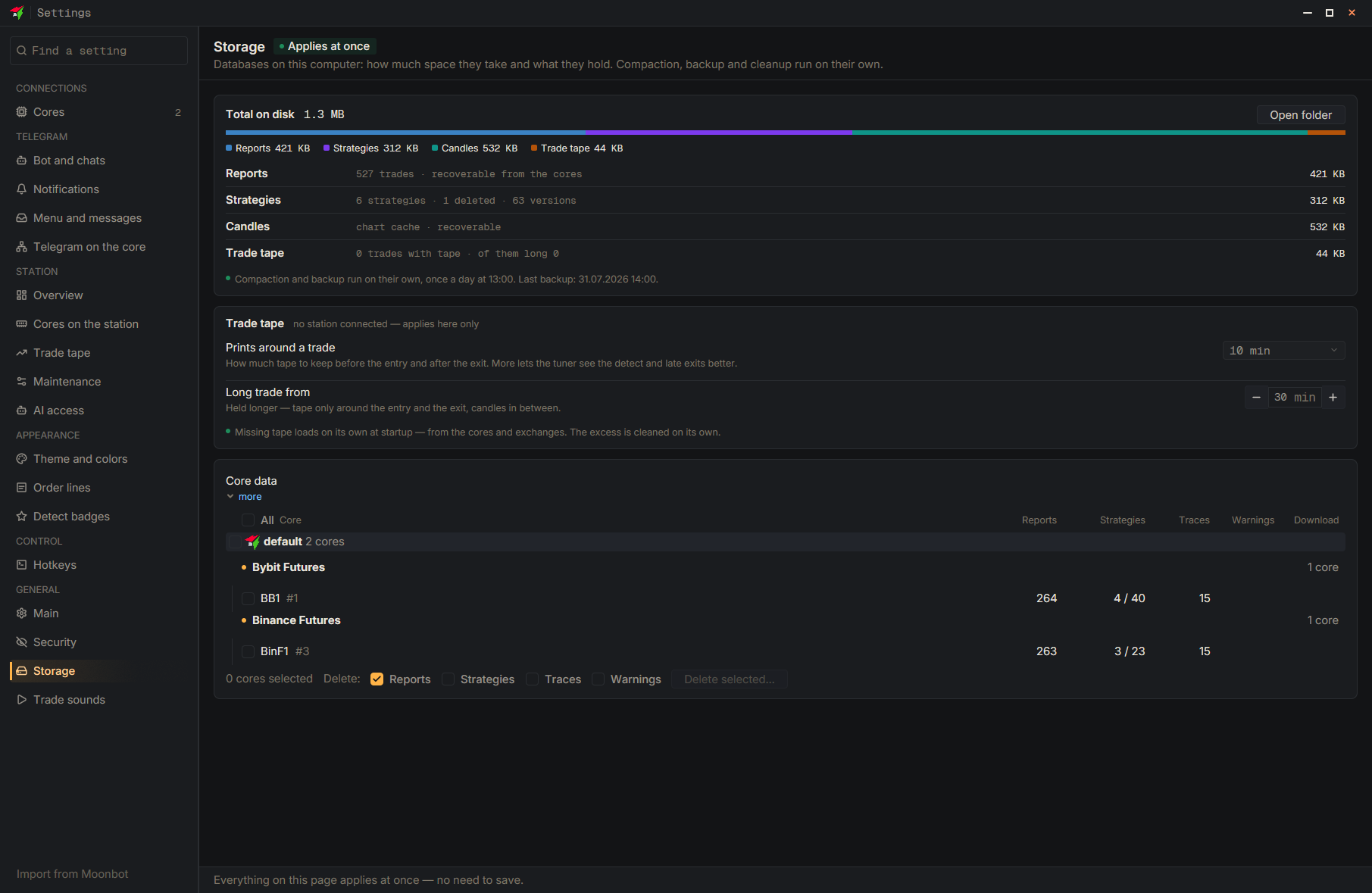
The core list is built from the report history saved on your computer, not from the connections, so a core stays while its trades remain in that history. To remove it completely, open “Settings” → “Storage”, and in the “Core data” table tick this core (deleted connections are in the group “Not in Connections”), leave “Reports” ticked and click “Delete selected…”. The history of a core that is no longer in the connections cannot be downloaded again. To hide a core temporarily, in “Analytics” open “Cores”, clear “All cores” and tick the ones you need.
- Settings
- Storage
- Core data — Tick the needed core; deleted connections are in the group “Not in Connections”
- Reports — Do not tick the other data types
- Delete selected…
- Delete — Confirm